
Cloud API Rate Limits Explained — Why Your Transfers Fail and How to Fix Them

· 5 min read
Tayson
Senior Engineer

Your cloud sync starts strong, then suddenly slows to a crawl. Error messages appear: "Rate limit exceeded," "403 Forbidden," "Too many requests." Your transfer stalls at 60%. What's happening?

Every cloud storage provider limits how fast you can interact with their API. These rate limits protect their infrastructure from abuse, but they also affect legitimate users who are moving large amounts of data. Understanding these limits — and configuring your tools to respect them — is the difference between transfers that complete reliably and transfers that fail halfway.
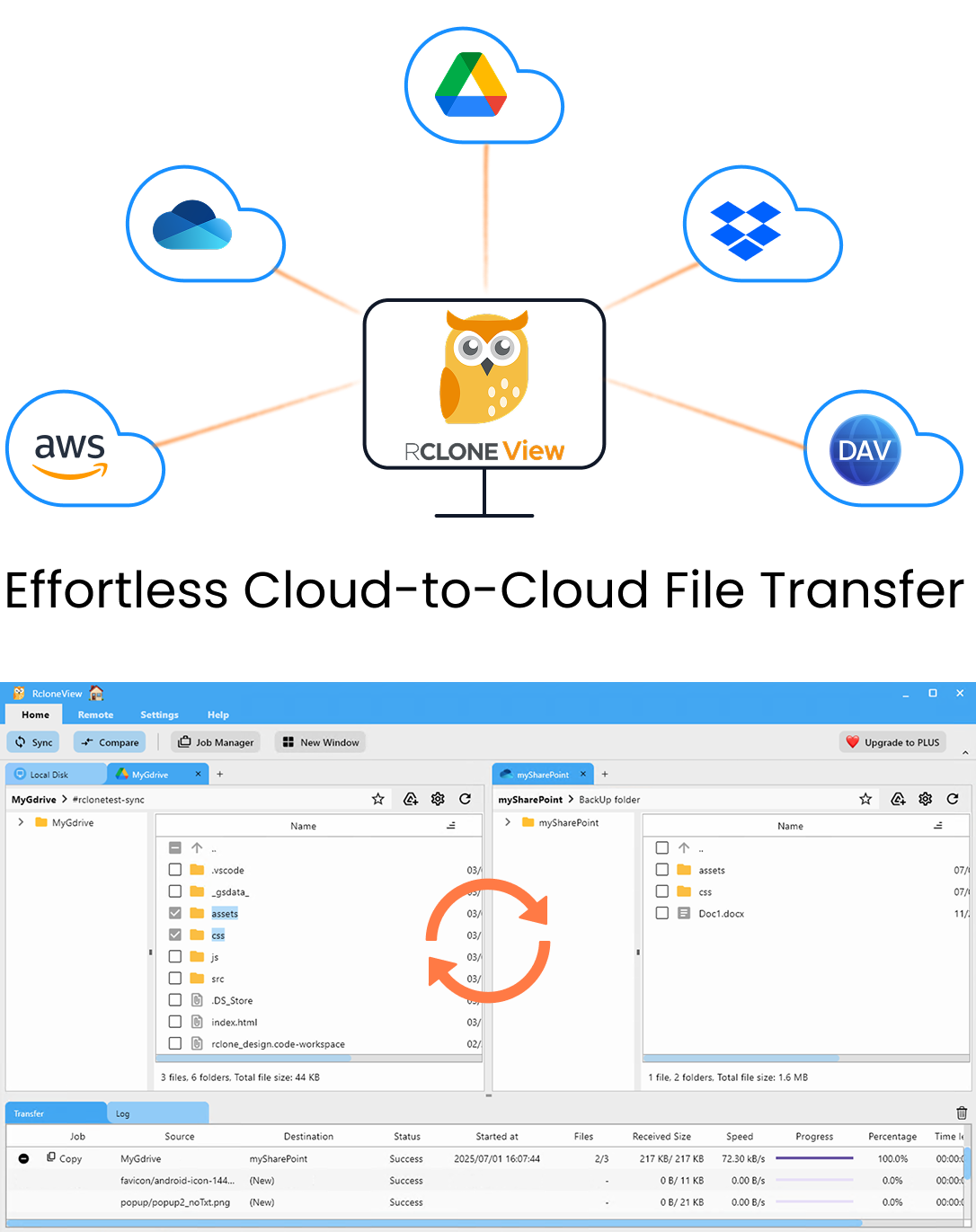
RcloneView app preview

Manage & Sync All Clouds in One Place

RcloneView is a cross-platform GUI for rclone. Compare folders, transfer or sync files, and automate multi-cloud workflows with a clean, visual interface.

  • One-click jobs: Copy · Sync · Compare
  • Schedulers & history for reliable automation
  • Works with Google Drive, OneDrive, Dropbox, S3, WebDAV, SFTP and more
WindowsmacOSLinux
Get Started Free →

Free core features. Plus automations available.

Cloud Storage for Universities and Schools — Manage Research Data, Course Materials, and Campus Files with RcloneView

· 4 min read
Tayson
Senior Engineer

A typical university runs Google Workspace for students, OneDrive for staff, AWS for research computing, and a local NAS for department files. Managing data across all of these is a daily challenge for IT teams.

Higher education institutions generate and consume vast amounts of data: research datasets, course materials, student work, administrative documents, and media archives. Most campuses run multiple cloud platforms simultaneously — often with no unified way to manage them. RcloneView bridges all of these into a single interface.

RcloneView app preview

Manage & Sync All Clouds in One Place

RcloneView is a cross-platform GUI for rclone. Compare folders, transfer or sync files, and automate multi-cloud workflows with a clean, visual interface.

  • One-click jobs: Copy · Sync · Compare
  • Schedulers & history for reliable automation
  • Works with Google Drive, OneDrive, Dropbox, S3, WebDAV, SFTP and more
WindowsmacOSLinux
Get Started Free →

Free core features. Plus automations available.

Download and Organize 1Fichier Files to Cloud Storage Automatically with RcloneView

· 7 min read
Tayson
Senior Engineer

1Fichier is fantastic for one thing: sharing files. European users love it (and it's compliant with GDPR). But if you've been using 1Fichier as a temporary holding area or a backup destination, you probably know the pain: files pile up, you lose track of what's there, and getting everything organized into your "real" cloud storage (Google Drive, OneDrive, etc.) is a manual nightmare.

Want to automatically download all 1Fichier files, organize them by date or type, and sync them to your primary cloud? RcloneView makes this effortless.

RcloneView app preview

Manage & Sync All Clouds in One Place

RcloneView is a cross-platform GUI for rclone. Compare folders, transfer or sync files, and automate multi-cloud workflows with a clean, visual interface.

  • One-click jobs: Copy · Sync · Compare
  • Schedulers & history for reliable automation
  • Works with Google Drive, OneDrive, Dropbox, S3, WebDAV, SFTP and more
WindowsmacOSLinux
Get Started Free →

Free core features. Plus automations available.

Encrypt Cloud Backups with Rclone Crypt — Zero-Knowledge Encryption for Google Drive, S3, and More

· 5 min read
Tayson
Senior Engineer

When you upload files to Google Drive, Google can read them. When you store data on S3, Amazon can access it. Rclone's crypt remote changes this — your files are encrypted before they ever leave your machine.

Cloud providers encrypt data "at rest" on their servers, but they hold the keys. This means the provider (and potentially government agencies, hackers who breach the provider, or rogue employees) can access your files. Rclone's crypt remote provides true zero-knowledge encryption: files are encrypted on your machine before uploading, and only you have the key.

RcloneView app preview

Manage & Sync All Clouds in One Place

RcloneView is a cross-platform GUI for rclone. Compare folders, transfer or sync files, and automate multi-cloud workflows with a clean, visual interface.

  • One-click jobs: Copy · Sync · Compare
  • Schedulers & history for reliable automation
  • Works with Google Drive, OneDrive, Dropbox, S3, WebDAV, SFTP and more
WindowsmacOSLinux
Get Started Free →

Free core features. Plus automations available.

Manage Oracle Cloud Object Storage — Sync with S3, Google Drive, and NAS Using RcloneView

· 4 min read
Tayson
Senior Engineer

Oracle Cloud Infrastructure (OCI) offers 10 GB of free object storage and competitive pricing beyond that. But managing OCI storage alongside your other clouds requires the right tools.

Oracle Cloud Object Storage is S3-compatible, durable, and cost-effective — especially with Oracle's generous free tier and Always Free resources. Many organizations use OCI alongside AWS, Google Cloud, or Azure. RcloneView connects them all, giving you a visual interface to manage Oracle Cloud Object Storage alongside 70+ other providers.

RcloneView app preview

Manage & Sync All Clouds in One Place

RcloneView is a cross-platform GUI for rclone. Compare folders, transfer or sync files, and automate multi-cloud workflows with a clean, visual interface.

  • One-click jobs: Copy · Sync · Compare
  • Schedulers & history for reliable automation
  • Works with Google Drive, OneDrive, Dropbox, S3, WebDAV, SFTP and more
WindowsmacOSLinux
Get Started Free →

Free core features. Plus automations available.

How to Migrate from Box to SharePoint or OneDrive — Enterprise Cloud Migration with RcloneView

· 4 min read
Tayson
Senior Engineer

Your company has decided to consolidate on Microsoft 365. Step one: migrate all those files from Box to SharePoint and OneDrive. Step two: don't lose anything in the process.

Box has been a staple for enterprise file sharing, but many organizations are consolidating their cloud ecosystems around Microsoft 365. Migrating from Box to SharePoint Online or OneDrive for Business is a significant project — especially when you're dealing with years of accumulated data, complex folder structures, and shared workspaces. RcloneView makes this manageable.

RcloneView app preview

Manage & Sync All Clouds in One Place

RcloneView is a cross-platform GUI for rclone. Compare folders, transfer or sync files, and automate multi-cloud workflows with a clean, visual interface.

  • One-click jobs: Copy · Sync · Compare
  • Schedulers & history for reliable automation
  • Works with Google Drive, OneDrive, Dropbox, S3, WebDAV, SFTP and more
WindowsmacOSLinux
Get Started Free →

Free core features. Plus automations available.

How to Migrate from OneDrive to Google Drive — Step-by-Step Transfer Guide with RcloneView

· 4 min read
Tayson
Senior Engineer

Your organization is moving to Google Workspace. Now you need to move terabytes of OneDrive files to Google Drive without disrupting your team's workflow. Here's how to do it properly.

Whether you're switching productivity suites, consolidating cloud accounts, or maintaining a parallel backup, migrating from OneDrive to Google Drive requires careful planning. RcloneView handles the heavy lifting — direct cloud-to-cloud transfer that preserves your folder structure and handles the file format differences automatically.

RcloneView app preview

Manage & Sync All Clouds in One Place

RcloneView is a cross-platform GUI for rclone. Compare folders, transfer or sync files, and automate multi-cloud workflows with a clean, visual interface.

  • One-click jobs: Copy · Sync · Compare
  • Schedulers & history for reliable automation
  • Works with Google Drive, OneDrive, Dropbox, S3, WebDAV, SFTP and more
WindowsmacOSLinux
Get Started Free →

Free core features. Plus automations available.

Run RcloneView on Raspberry Pi — Build a Low-Power Cloud Backup Appliance

· 5 min read
Tayson
Senior Engineer

A Raspberry Pi draws 5–15 watts. That's less than a lightbulb. Leave it running 24/7, and it becomes a silent, always-on cloud backup appliance that syncs your data while you sleep.

The Raspberry Pi is a surprisingly capable computer for cloud storage tasks. Pair it with an external USB drive and RcloneView, and you have a dedicated backup machine that syncs local files to cloud storage (or vice versa) around the clock — at a fraction of the power cost of a full PC or NAS.

RcloneView app preview

Manage & Sync All Clouds in One Place

RcloneView is a cross-platform GUI for rclone. Compare folders, transfer or sync files, and automate multi-cloud workflows with a clean, visual interface.

  • One-click jobs: Copy · Sync · Compare
  • Schedulers & history for reliable automation
  • Works with Google Drive, OneDrive, Dropbox, S3, WebDAV, SFTP and more
WindowsmacOSLinux
Get Started Free →

Free core features. Plus automations available.

RcloneView vs Rclone CLI: When Do You Need a GUI for Cloud Storage Management?

· 5 min read
Tayson
Senior Engineer

Rclone is one of the most powerful cloud storage tools ever built. It's also one of the most complex. RcloneView keeps all that power and wraps it in a visual interface. But is the GUI right for you?

Rclone supports 70+ cloud providers, handles encryption, mounting, syncing, and more. Its command-line interface is incredibly flexible — if you know the commands. RcloneView is a desktop application built on top of rclone that provides a graphical interface for the same operations. Here's how they compare and when you'd choose one over the other.

RcloneView app preview

Manage & Sync All Clouds in One Place

RcloneView is a cross-platform GUI for rclone. Compare folders, transfer or sync files, and automate multi-cloud workflows with a clean, visual interface.

  • One-click jobs: Copy · Sync · Compare
  • Schedulers & history for reliable automation
  • Works with Google Drive, OneDrive, Dropbox, S3, WebDAV, SFTP and more
WindowsmacOSLinux
Get Started Free →

Free core features. Plus automations available.

Accidentally Deleted Cloud Files? How to Prevent Data Loss with RcloneView Backups

· 5 min read
Tayson
Senior Engineer

You deleted a folder from Google Drive. Then emptied the trash. Three days later, you realize those files were critical. The trash is empty. Google can't help. Now what?

Accidental deletion is the most common form of cloud data loss. Cloud trash bins help, but they have time limits (Google Drive: 30 days, OneDrive: 93 days, Dropbox: 30–180 days). Once files pass that window — or if you empty the trash — they're gone. The only reliable protection is an independent backup.

RcloneView app preview

Manage & Sync All Clouds in One Place

RcloneView is a cross-platform GUI for rclone. Compare folders, transfer or sync files, and automate multi-cloud workflows with a clean, visual interface.

  • One-click jobs: Copy · Sync · Compare
  • Schedulers & history for reliable automation
  • Works with Google Drive, OneDrive, Dropbox, S3, WebDAV, SFTP and more
WindowsmacOSLinux
Get Started Free →

Free core features. Plus automations available.