Manage IBM Cloud Object Storage — Sync and Backup Files with RcloneView
Add IBM Cloud Object Storage (IBM COS) as a remote in RcloneView and manage your buckets alongside Amazon S3, Google Drive, Cloudflare R2, and 90+ other services.
IBM Cloud Object Storage is an S3-compatible object storage service widely used in enterprise environments for storing large volumes of unstructured data — application artifacts, analytics datasets, database backups, and archived records. RcloneView, a GUI client built on rclone, supports IBM COS through the S3-compatible API, letting you browse buckets, sync data, and migrate content without writing a single command.

Manage & Sync All Clouds in One Place
RcloneView is a cross-platform GUI for rclone. Compare folders, transfer or sync files, and automate multi-cloud workflows with a clean, visual interface.
- One-click jobs: Copy · Sync · Compare
- Schedulers & history for reliable automation
- Works with Google Drive, OneDrive, Dropbox, S3, WebDAV, SFTP and more
Free core features. Plus automations available.
Connecting IBM COS to RcloneView
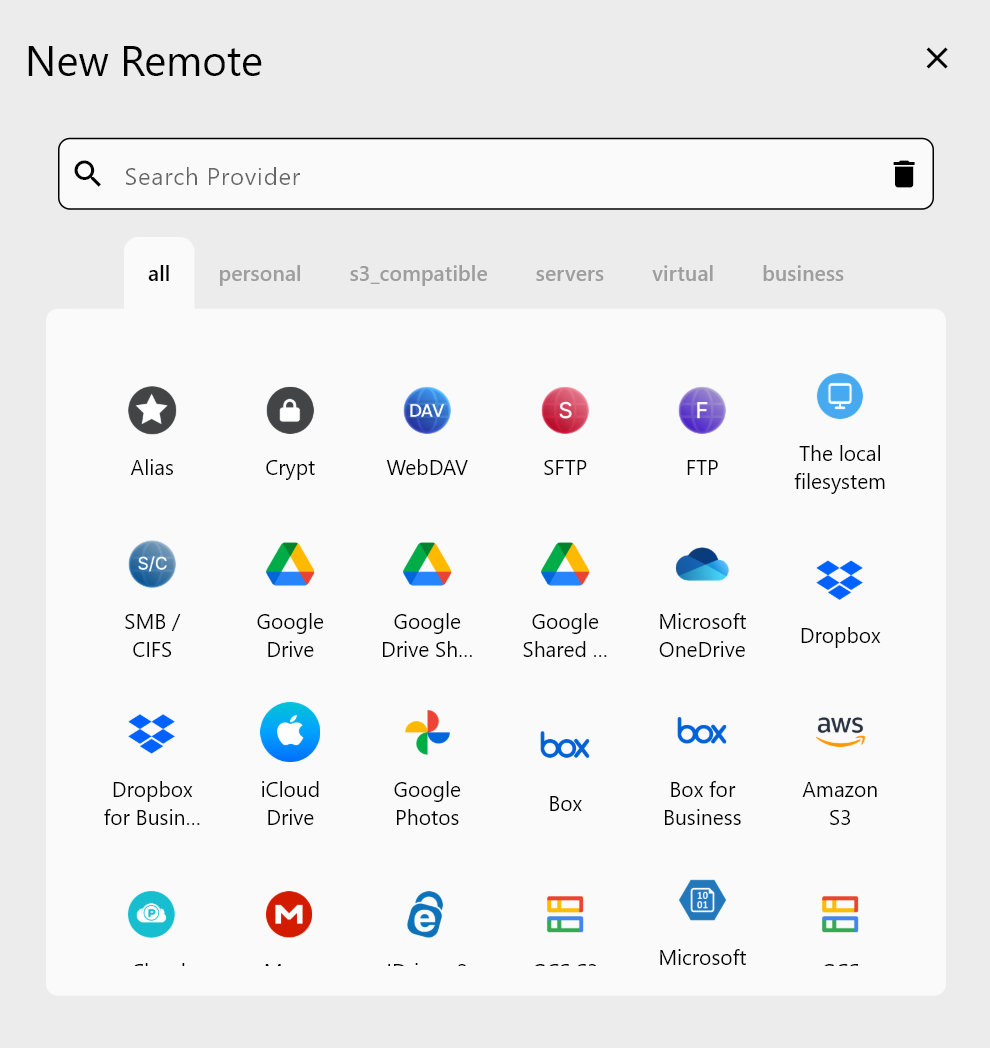
IBM Cloud Object Storage uses the S3-compatible API, so the connection setup in RcloneView follows the same pattern as other S3-compatible providers. You will need your IBM COS Access Key ID, Secret Access Key, and the endpoint URL for your bucket's region. IBM COS endpoints follow the format s3.<region>.cloud-object-storage.appdomain.cloud — you can find the exact endpoint in your IBM Cloud console under your bucket's configuration.
In RcloneView, go to the Remote tab and click New Remote. Select Amazon S3 (which covers all S3-compatible providers) and choose the custom endpoint option. Enter your IBM COS credentials and endpoint URL. Once saved, your IBM COS buckets appear in the File Explorer, where you can browse objects, view sizes and modification dates, and perform file operations.
Syncing IBM COS with Other Cloud Storage
A common workflow for IBM COS users is replicating critical buckets to a secondary provider for redundancy. With RcloneView, you can sync IBM COS buckets directly to Amazon S3, Cloudflare R2, Google Drive, or any other connected remote — no intermediate download required.
Use the Sync wizard to select your IBM COS bucket as the source and your target provider as the destination. The Advanced Settings step lets you tune concurrent transfer count and checksum verification. Enabling checksum comparison ensures object integrity during cross-provider moves — particularly valuable for large binary files like database dumps or media archives.
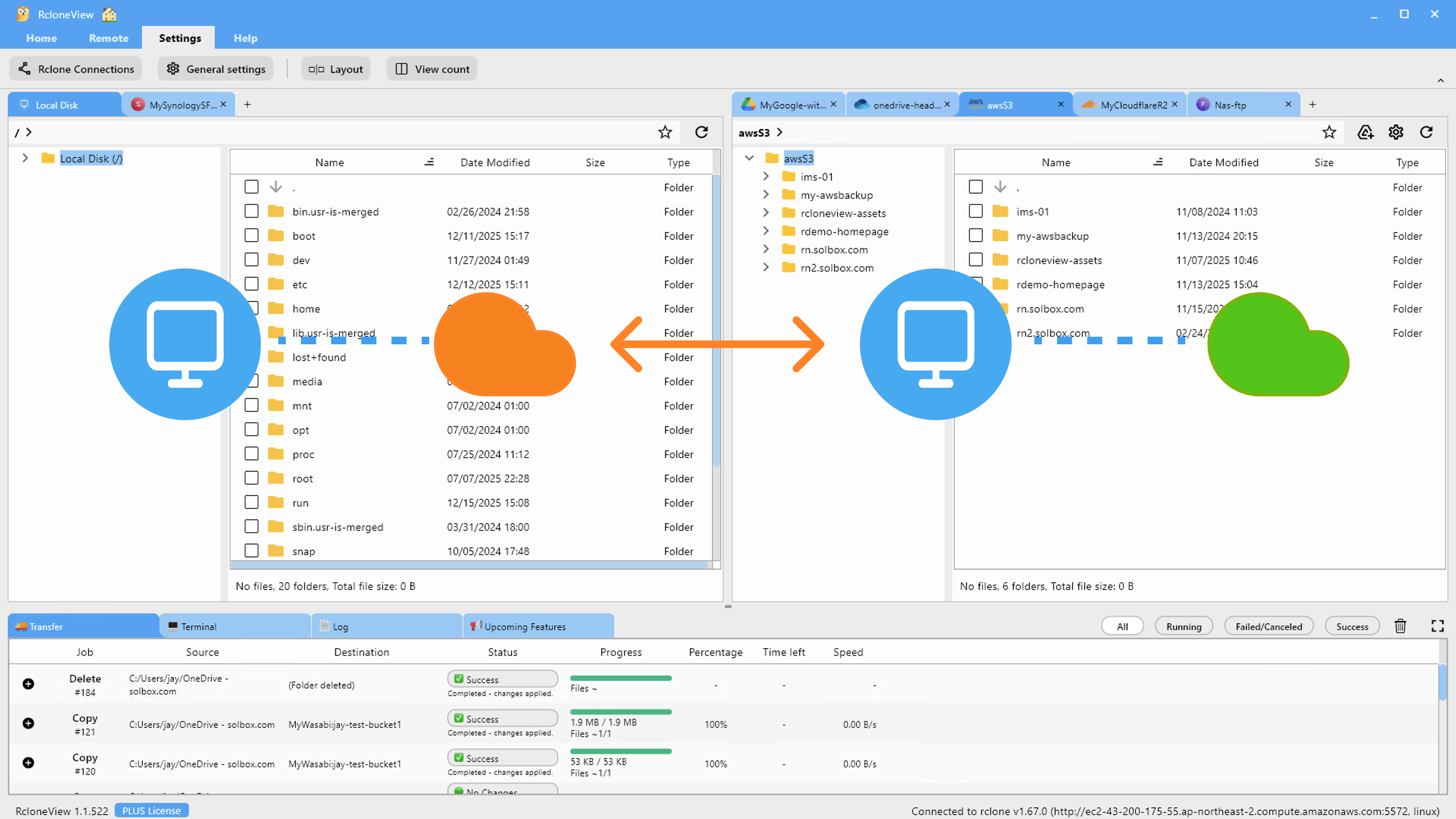
Scheduled sync (PLUS license) allows IBM COS backups to run on a crontab-style schedule. Job History shows each run's start time, duration, total data transferred, and completion status, giving you a full audit trail of your replication jobs.
Using Folder Compare for Bucket Audits
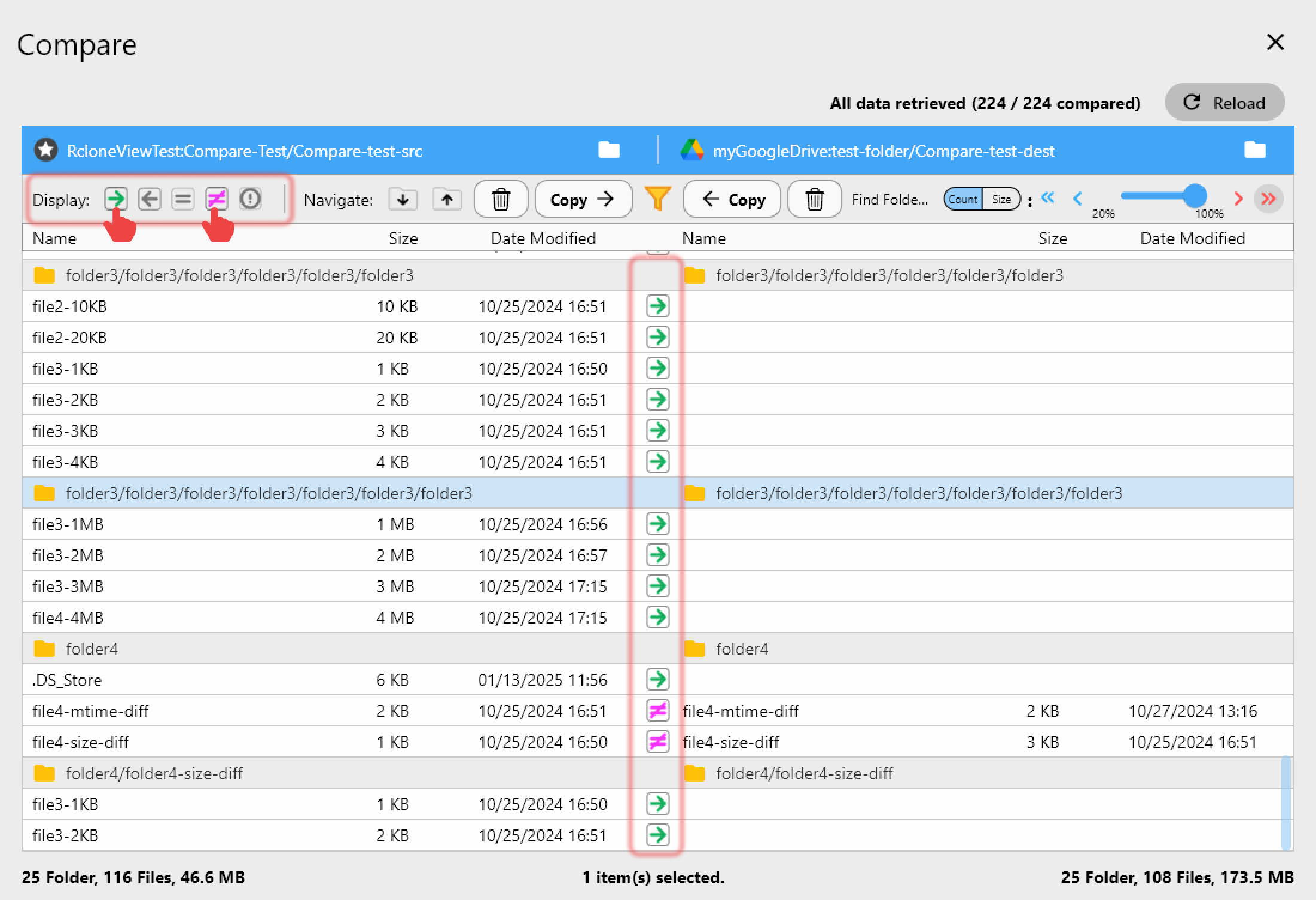
Before migrating data out of IBM COS, use RcloneView's Folder Compare feature to audit differences between your IBM COS bucket and the target storage. The comparison shows left-only files, right-only files, size differences, and identical objects — giving you a clear picture of what the sync will actually do.
This compare-first approach is useful when consolidating object storage across providers: compare IBM COS against your destination bucket, review the diff, then run the sync with confidence. The Dry Run mode offers an additional layer of safety by simulating the sync and listing all planned operations without making changes.
Getting Started
- Download RcloneView from rcloneview.com.
- Create IBM COS HMAC credentials (Access Key ID + Secret Access Key) in your IBM Cloud console.
- In RcloneView, add a new S3-compatible remote with your IBM COS endpoint URL.
- Create a sync job to replicate your buckets to a backup destination on a regular schedule.
IBM COS data becomes much more manageable when you can visualize buckets, compare contents, and trigger syncs from a GUI — without memorizing endpoint URLs or command flags.
Related Guides:
- Centralize S3, Wasabi, and Cloudflare R2 Storage with RcloneView
- Manage Cloudflare R2 Cloud Sync with RcloneView
- Manage Google Cloud Storage Buckets with RcloneView
Supported Cloud Providers