RcloneView on Zorin OS — Cloud Storage Sync and Backup
Install RcloneView on Zorin OS and manage 90+ cloud storage services from a GUI — sync Google Drive, OneDrive, Amazon S3, and more on your Zorin OS desktop.
Zorin OS is an Ubuntu-based Linux distribution designed with a familiar, polished desktop interface — particularly popular with users transitioning from Windows or macOS. Its Ubuntu/Debian foundation means it works seamlessly with .deb packages, making RcloneView installation straightforward. RcloneView is a GUI desktop application built with Flutter that requires a display server (X11 or Wayland) and a running desktop environment — Zorin OS's GNOME-based desktop fulfills these requirements.

Manage & Sync All Clouds in One Place
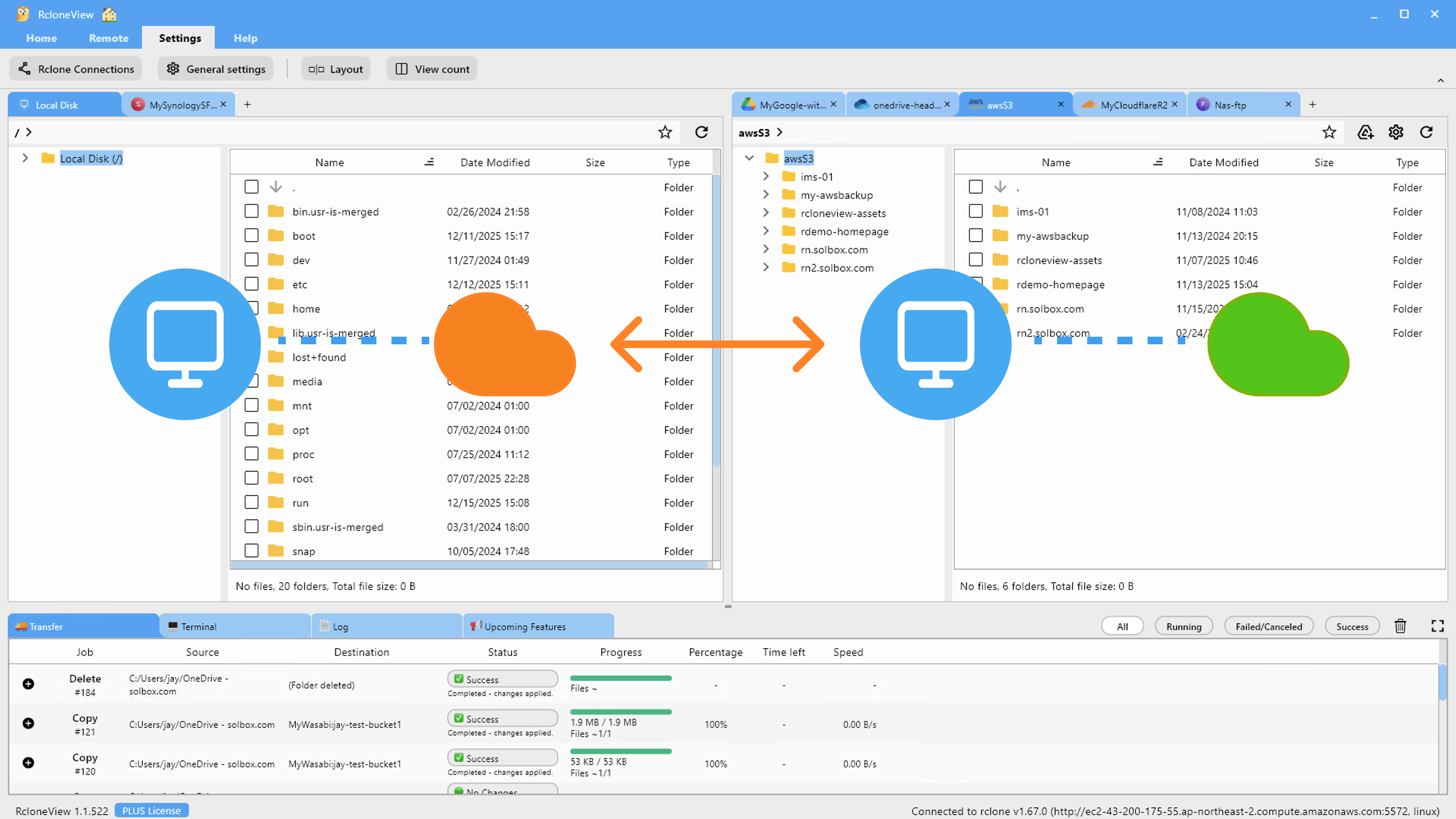
RcloneView is a cross-platform GUI for rclone. Compare folders, transfer or sync files, and automate multi-cloud workflows with a clean, visual interface.
- One-click jobs: Copy · Sync · Compare
- Schedulers & history for reliable automation
- Works with Google Drive, OneDrive, Dropbox, S3, WebDAV, SFTP and more
Free core features. Plus automations available.
Installing RcloneView on Zorin OS
RcloneView is distributed through direct download from rcloneview.com. There is no apt repository or Snap package — do not attempt apt install rcloneview or snap install rcloneview as neither exists. Download the .deb package for your architecture from the official download page.
Install the .deb package:
sudo dpkg -i rclone_view-*-linux-x86_64.deb
If dpkg reports missing dependencies, resolve them with:
sudo apt install -f
This installs any missing GTK or system libraries automatically on Zorin OS (which inherits Ubuntu's apt repository).
Alternatively, use the .AppImage for a portable install that requires no system integration:
chmod +x RcloneView-*-x86_64.AppImage
./RcloneView-*-x86_64.AppImage
Required Libraries on Zorin OS
Zorin OS ships with GTK+ 3.0 and X11/Wayland as part of its default GNOME desktop installation. For system tray support, install the AppIndicator library if not already present:
sudo apt install libayatana-appindicator3-1
For cloud drive mounting (virtual drive feature), install FUSE3:
sudo apt install fuse3
After installation, launch RcloneView from the application menu or terminal. The application integrates with Zorin OS's desktop, including system tray icon support and native desktop notifications for job completion.
Connecting Cloud Storage
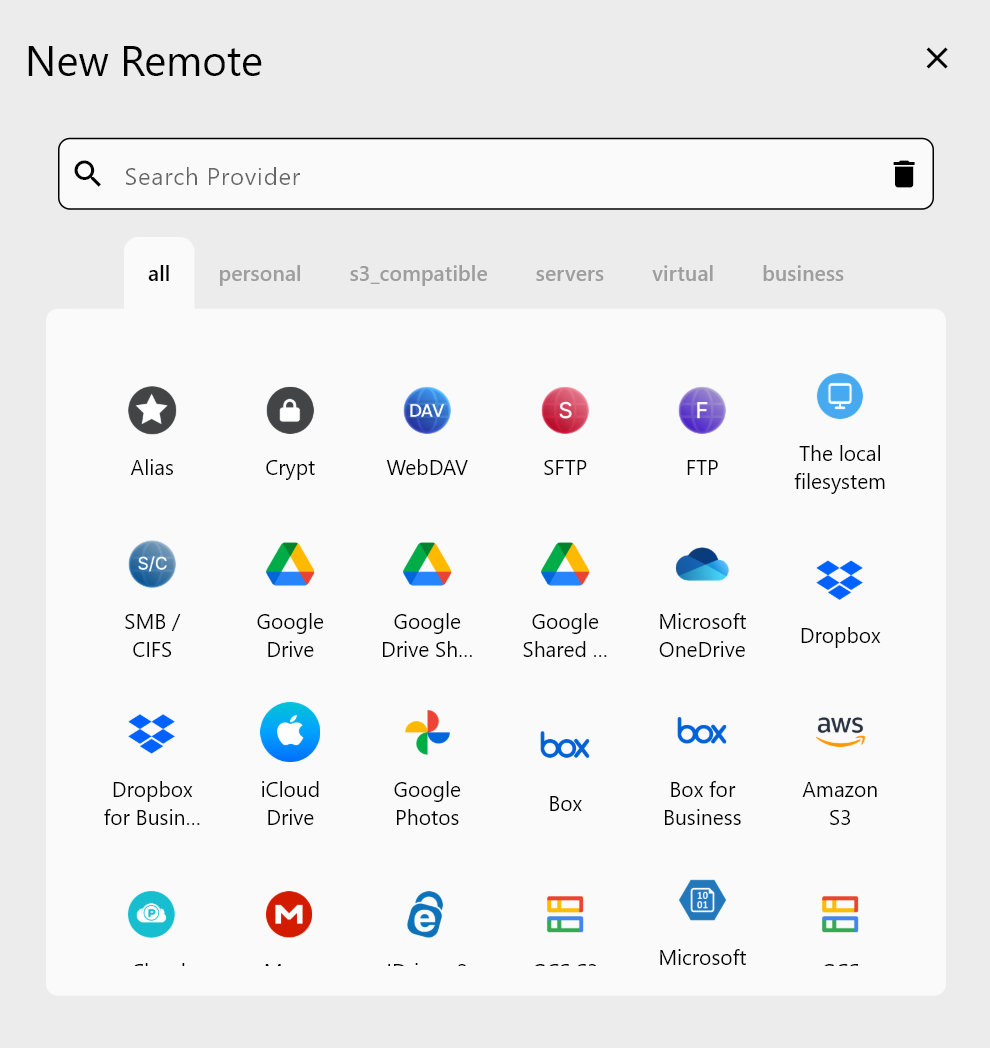
RcloneView ships with an embedded rclone binary — no separate rclone installation is required. Add your cloud services via the Remote tab: click New Remote and select your provider. For OAuth-based services like Google Drive, OneDrive, and Dropbox, a browser window opens for account authentication. For S3-compatible services, enter your Access Key, Secret Key, and endpoint URL.
Zorin OS's GNOME-based desktop handles the OAuth browser redirect cleanly — the authentication window opens in your default browser and the credentials are passed back to RcloneView automatically.
Syncing and Mounting Cloud Storage
Once remotes are configured, use the Sync wizard to create backup or migration jobs. Select source and destination remotes, configure transfer options and filters, and optionally schedule recurring runs (PLUS license). RcloneView runs as a GUI application on Zorin OS — it requires an active desktop session and display server. It cannot be configured as a systemd background service directly; for unattended scheduled tasks without a user session, use rclone's own rclone rcd with a systemd service and connect to it from RcloneView.
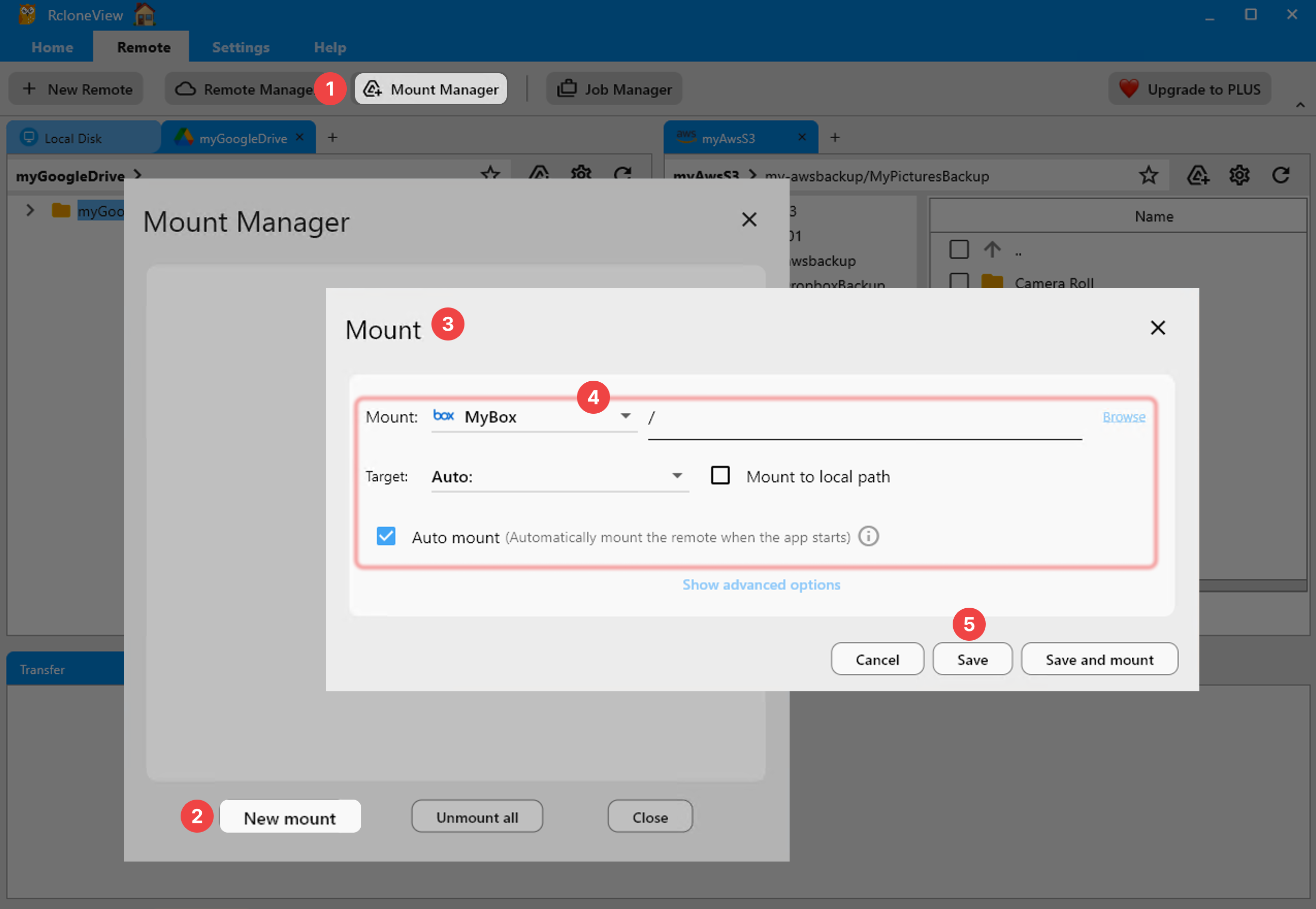
To mount cloud storage as a local directory, use Mount Manager in the Remote tab. On Zorin OS, specify a mount point path and click Save and Mount. The mounted folder appears in Nautilus (Zorin OS's default file manager) and can be accessed like any local directory.
Getting Started
- Download RcloneView from rcloneview.com — select the Linux
.debfor x86_64. - Install with
sudo dpkg -i rclone_view-*-linux-x86_64.deband runsudo apt install -fif dependencies are missing. - Install
fuse3andlibayatana-appindicator3-1if needed for mount and tray support. - Add your cloud remotes and start syncing from the familiar Zorin OS desktop environment.
Zorin OS's Ubuntu compatibility makes RcloneView installation straightforward, giving users a GUI-driven cloud storage management tool that fits naturally into Zorin OS's polished desktop workflow.
Related Guides:
- Install RcloneView on Ubuntu and Debian Linux
- RcloneView on Pop!_OS Linux — Cloud Sync
- RcloneView on Fedora, RHEL, and CentOS Linux
Supported Cloud Providers