Protect Your Cloud Storage from Ransomware — Immutable Backups with RcloneView
Ransomware doesn't just encrypt your local files. If your cloud sync is active, it overwrites your cloud copies with encrypted versions too. Your Google Drive, OneDrive, and Dropbox can all be compromised in minutes.
Cloud storage feels safe — "it's in the cloud, it's backed up." But cloud sync tools work both ways. When ransomware encrypts files on your computer, sync clients dutifully upload the encrypted versions to your cloud, replacing the originals. Within minutes, your cloud storage is full of encrypted junk. The solution: backup copies that ransomware can't reach.

Manage & Sync All Clouds in One Place
RcloneView is a cross-platform GUI for rclone. Compare folders, transfer or sync files, and automate multi-cloud workflows with a clean, visual interface.
- One-click jobs: Copy · Sync · Compare
- Schedulers & history for reliable automation
- Works with Google Drive, OneDrive, Dropbox, S3, WebDAV, SFTP and more
Free core features. Plus automations available.
How Ransomware Reaches Your Cloud
- Ransomware encrypts local files on your computer.
- Sync client detects changes — OneDrive, Dropbox, or Google Drive sync sees "modified" files.
- Encrypted files upload — The sync client replaces originals with encrypted versions.
- Cloud storage is now encrypted — Both local and cloud copies are compromised.
Defense Strategy: Copy, Don't Sync
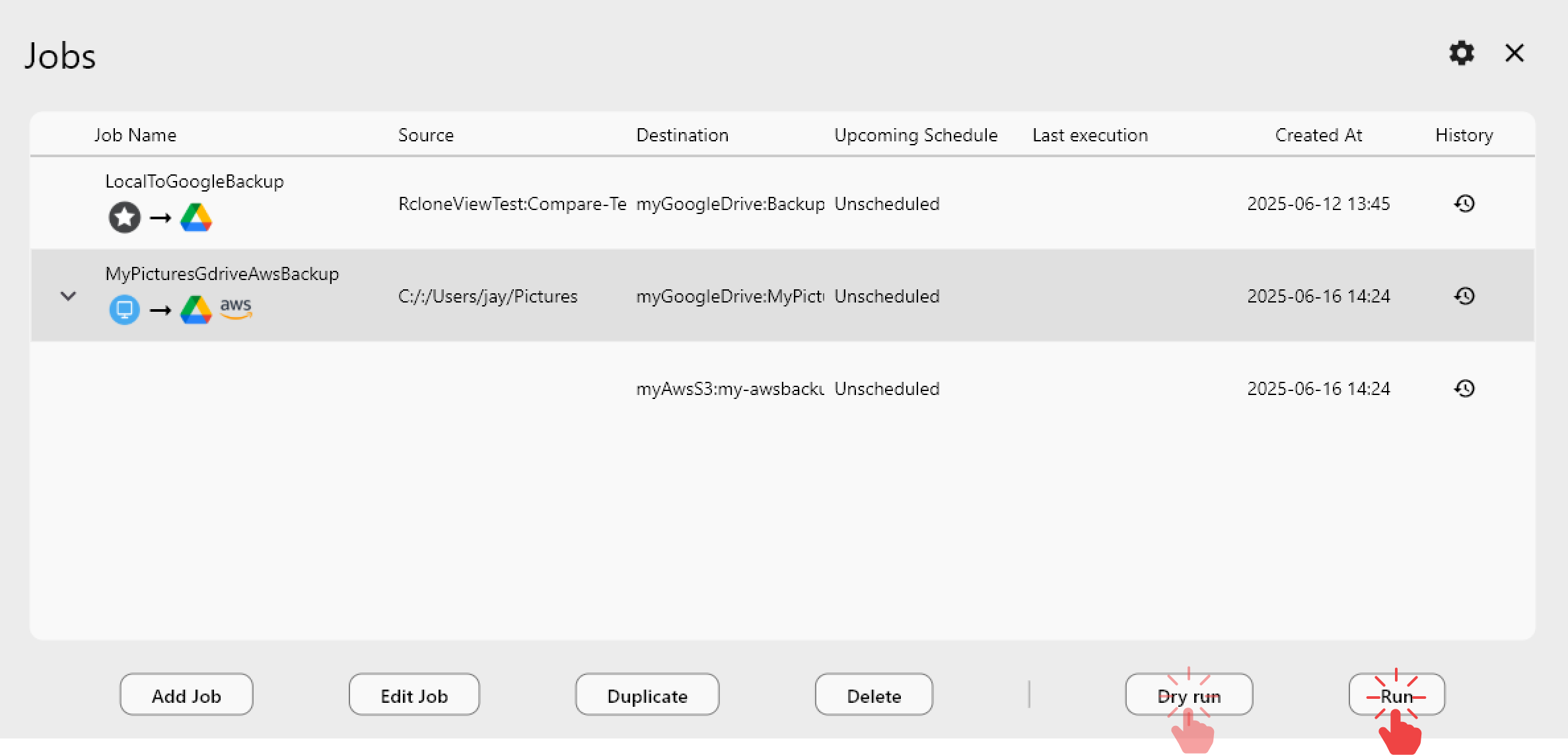
The key insight: Use Copy jobs, not Sync, for backup. Copy only adds and updates files — it never deletes from the destination. Even if your primary cloud gets ransomware-encrypted files, the backup retains the last good versions.
Primary cloud (vulnerable)
Google Drive ← Sync with local computer (ransomware can reach here)
Backup (protected)
Google Drive → Copy → Backblaze B2 (ransomware can't delete old versions)
Additional Protection Layers
1) S3 Object Lock (immutable)
AWS S3 supports Object Lock — files cannot be modified or deleted for a specified period:
- Governance mode — Protects against accidental deletion; admins can override.
- Compliance mode — No one can delete or modify, not even the root account.
Back up to an S3 bucket with Object Lock enabled. Even if ransomware compromises your AWS credentials, locked objects survive.
2) Versioning
Enable versioning on your backup storage:
- S3 versioning — Every overwrite creates a new version. Old versions are preserved.
- B2 versioning — Backblaze keeps previous versions by default.
If ransomware-encrypted files are copied to backup, the previous clean versions remain accessible.
3) Separate credentials
Use different credentials for your backup destination. Don't reuse AWS keys or OAuth tokens between primary and backup clouds. If ransomware steals one set of credentials, the other remains safe.
4) Encrypted backups with crypt
Use rclone's crypt remote for encrypted backups. Even if someone accesses your backup storage, they can't modify the encrypted data without your crypt password.
Backup Schedule
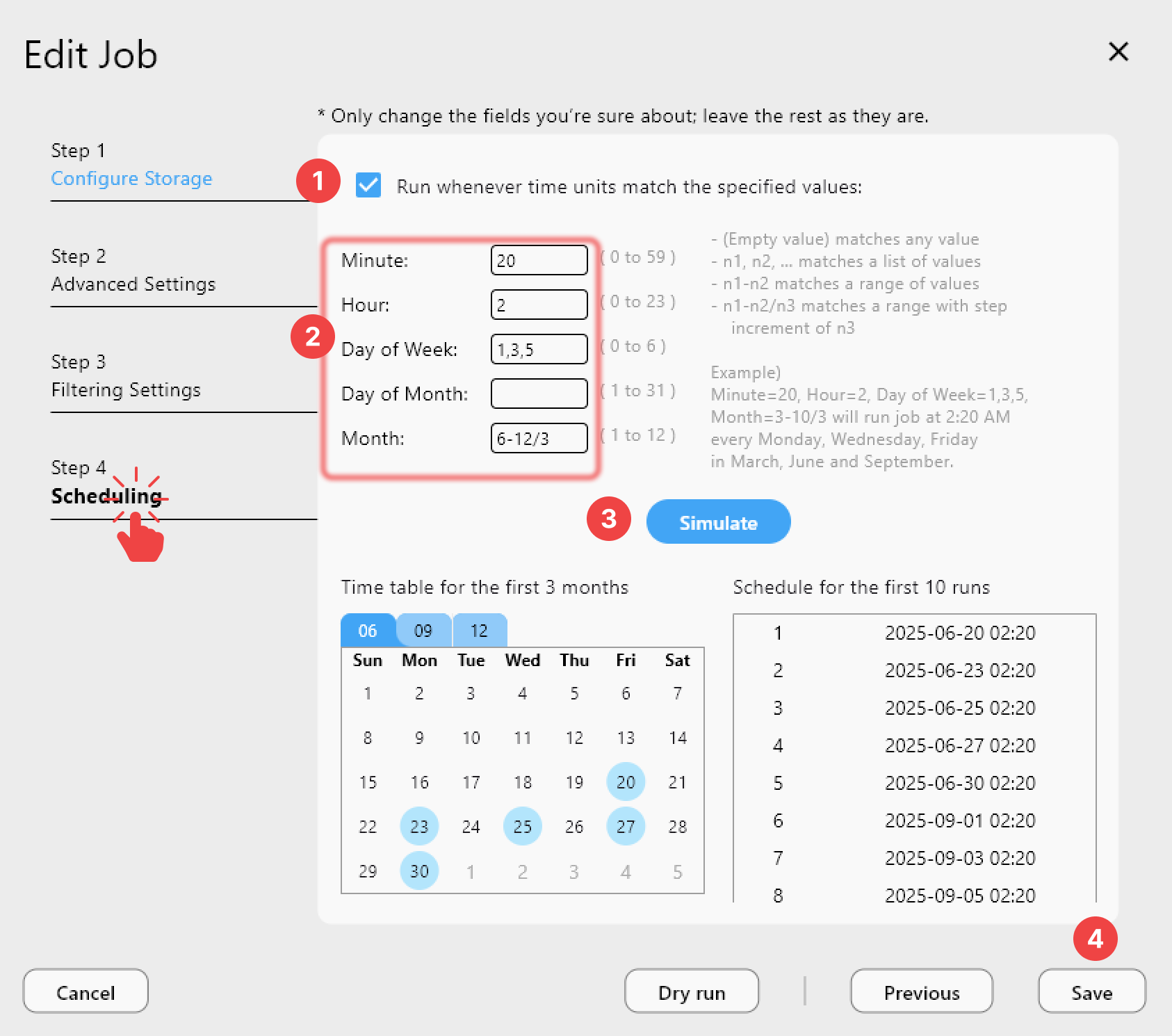
Run Copy jobs multiple times per day for critical data:
| Data Type | Backup Frequency | Retention |
|---|---|---|
| Critical documents | Every 4 hours | 90 days of versions |
| Project files | Daily | 30 days of versions |
| Archives | Weekly | 1 year |
Verify Backup Integrity
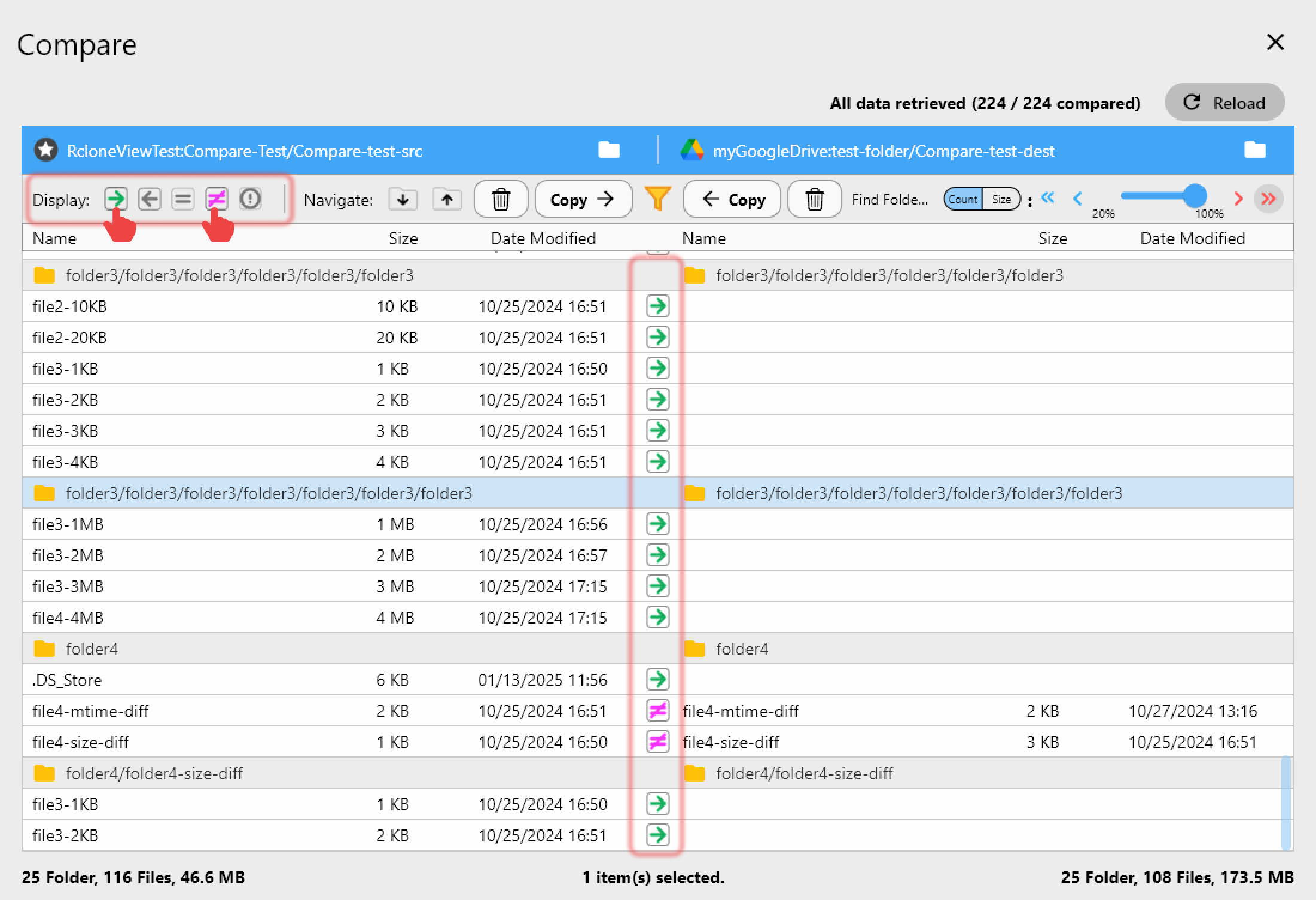
Periodically verify backups haven't been corrupted:
Recovery Plan
If ransomware hits:
- Stop all sync clients immediately.
- Disconnect from network to prevent spread.
- Access your backup via RcloneView (from a clean machine).
- Restore from last clean version — Copy from backup to a clean cloud account.
- Verify restored data with Folder Comparison.
Getting Started
- Download RcloneView from rcloneview.com.
- Set up backup with Copy (not Sync) to a separate provider.
- Enable versioning on backup storage.
- Use separate credentials for backup accounts.
- Schedule frequent backups.
- Test restoration — practice before you need it.
The best ransomware defense is a backup that ransomware can't touch.
Related Guides:
- Why Cloud-to-Cloud Backup Matters
- Recover Accidentally Deleted Files
- Sync vs Copy vs Move
- Encrypt Cloud Backups
Supported Cloud Providers